
Recipe importing
How to save recipes from websites on your iPhone
A practical guide to turning a recipe link into something you can find and cook from, with a checklist for checking the import.
 By Salsa
THE SHORT ANSWER
To save a website recipe on your iPhone, copy the address of the recipe page, open a recipe app such as Salsa and import the link. Check the ingredients and instructions against the original before cooking. A saved recipe gives you ingredients and cooking steps; a bookmark takes you back to the website.
A recipe you’re excited to make deserves more than a lost browser tab. The useful part of saving it is being able to find it again, read what you need and cook from it when you’re ready.
This guide covers ordinary recipe websites. Importing a social video is a different task: a video link may not include a complete written recipe.
Choose what you want to save
You don’t need the same method for every recipe. A bookmark works well when you want to revisit a creator’s page. A screenshot keeps a visual reference. A recipe app is useful when you want a collection you can search and cook from.
| Method | What you keep | What to check |
|---|---|---|
| Bookmark | A link to the original website | You still need the page to be available when you return. |
| Screenshot | An image of the part you captured | Include every ingredient and method step, rather than just the first screen. |
| Recipe app | An organised recipe with ingredients and instructions | Compare the imported recipe with the source, especially quantities and notes. |
How to save a website recipe in Salsa
You’ll need Salsa on an iPhone, an internet connection for importing and access to the original recipe. Salsa’s current App Store listing offers three free lifetime imports; further import capacity and Salsa AI are part of Pro. Saved recipes and standard cooking tools remain available without Pro. Check the App Store listing for current availability and plan details.
Open the full recipe page
Go to the individual recipe, rather than a search-results page, a collection of dinners or the website’s home page. Make sure you can see both the ingredients and the method.
Copy the page address
Copy the complete website address from your browser. Use the recipe’s own link, rather than a link to a screenshot, advert or image.
Import the link in Salsa
Open Salsa’s recipe-adding options, choose the website-link option, paste the address and start the import. Follow any account, subscription or AI-processing prompts shown in the app. Button labels can vary by version.
Open the saved recipe
When the import finishes, open the recipe in your collection. Check it against the original page before you start cooking. If something needs changing, edit the recipe rather than guessing what was intended.
You can also share a website recipe to Salsa using your iPhone’s share options. Pasting the address is a useful alternative if Salsa doesn’t appear there or you want to check exactly which page you’re importing.
Check these details before you cook
A neat-looking recipe can still be incomplete. Keep the original page available while you check:
- Servings: compare the imported yield with the original before adjusting quantities.
- Every ingredient: include oil, water, seasoning, toppings and any ingredients listed separately for a sauce.
- Amounts and units: check teaspoons versus tablespoons, grams versus millilitres, and ranges such as “1–2 tablespoons”.
- Divided ingredients: an ingredient used in two places shouldn’t be added twice in its full amount.
- Temperatures and times: preserve the original units, oven setting and distinction between preparation, cooking and resting.
- Recipe notes: keep any instructions that change the method, ingredient preparation or equipment.
Salsa uses AI to organise imports and check them against the source. Those checks can still miss mistakes, so compare the details with the original rather than treating a successful import as a guarantee.
What to do when a recipe won’t import
First open the link in your browser. If it doesn’t show the complete recipe there, importing the same link won’t necessarily provide the missing information.
- The link opens a list of recipes
- Open the specific dish and copy that page’s address instead.
- The website blocks the import or requires a sign-in
- Return to a version you can legitimately access. If you have the full recipe, use Salsa’s text or photo import options instead. Don’t assume an importer can open a restricted page.
- The result is missing ingredients or instructions
- Compare it with the source. Try pasting the complete recipe text, including the ingredient list, method and relevant notes. For photos or screenshots, include all pages in a readable order.
- The source contains two versions of the dish
- Identify which version you want to cook. Keep its ingredient list and method together so you don’t combine quantities from one version with steps from another.
- The page has no quantities or only a short description
- Look for the creator’s full written recipe. Don’t fill missing amounts by guesswork just to make the import look complete.
Keep the original website link with the recipe so you can return to the creator’s explanation, variations and updates.
Save it somewhere you’ll cook from
Once the recipe is in Salsa, give it a name you’ll recognise and mark the ones you want to return to as favourites. Search by recipe name or ingredient when you’re ready to make something.
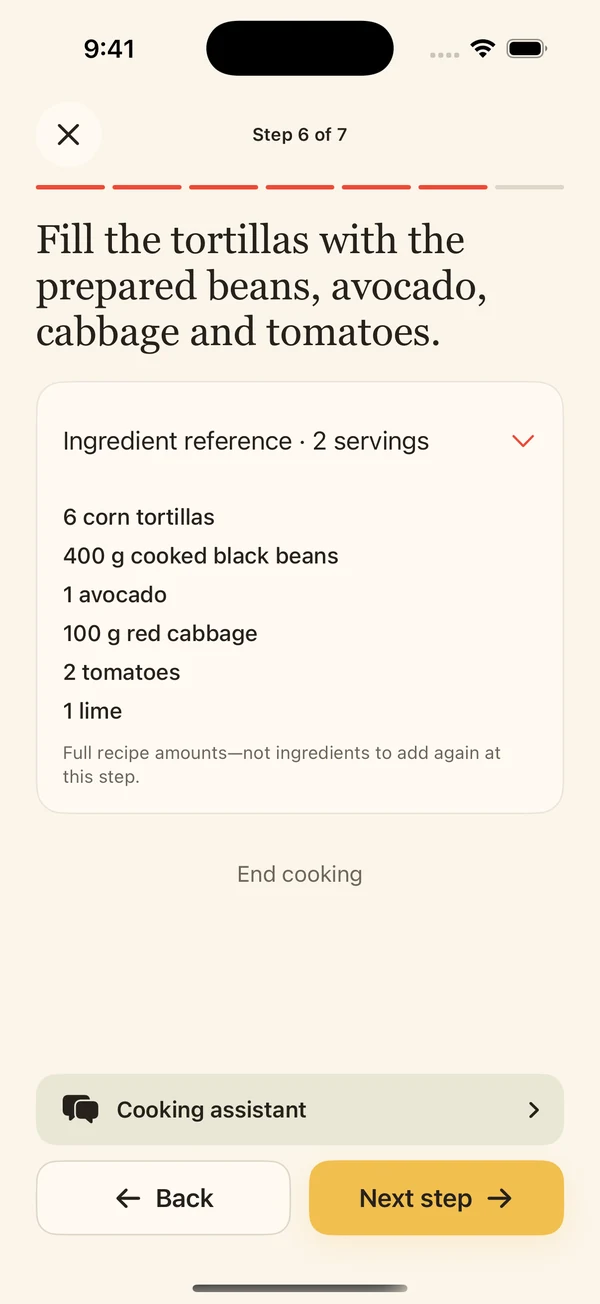
Open the recipe to follow its cooking instructions. Salsa shows ingredient amounts alongside the cooking experience and provides relevant timers that you start when you choose. Importing is the first step; enjoying the recipe is the point.
Common questions
Can I save recipes from different websites in one app?
Yes. Salsa can keep recipes imported from different websites in your personal collection. Whether a particular page imports successfully depends on its accessibility and how complete the recipe is.
Can I save a recipe without using the share menu?
Yes. Copy the website address and paste it into Salsa’s website-link import option.
Is a screenshot enough?
It can be, if it includes the whole recipe and the text is readable. A photo of the finished dish or an image of only half the ingredients isn’t enough to preserve the complete recipe.
Does importing work with every recipe website?
No. Website restrictions, incomplete text and conflicting recipe versions can prevent an import. Keep the source available and use complete text or clear recipe photos when appropriate.